
Electronic Design Automation
Saleem Bekkali
USC · CompE & CS ’25 · Founder
Aluming / Visual AI for chip design
Automate the manual work of inspecting layouts, reading simulation plots, and revising designs—with specialized visual models and simulation feedback in one workspace.
Analog design is visual
Engineers spend hours inspecting geometry, interpreting waveforms, and revising designs by hand. Aluming brings visual AI into that loop, starting with focused inspection and repair workflows.
01 / A connected design workspace
Work with schematics, simulation plots, and layouts in one place. Aluming connects the design tools with specialized visual models so inspection and iteration stay close to the work.
Explore the workspace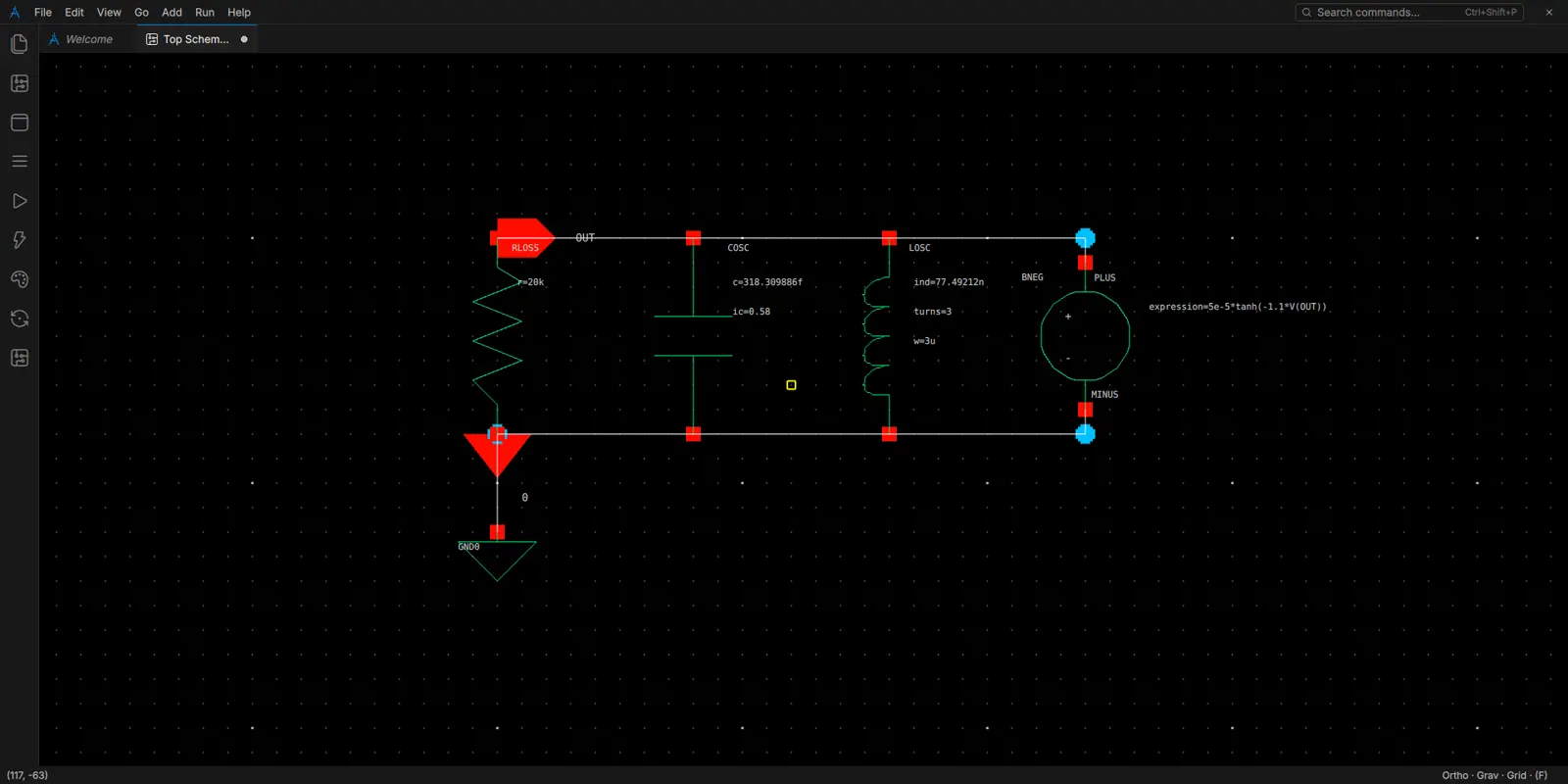
02 / Specialized visual AI
Our visual models are built to recognize layout layers and interpret simulation plots. Ask for a focused design task, review the AI’s proposed action, and use the result to guide your next change.
See the design assistant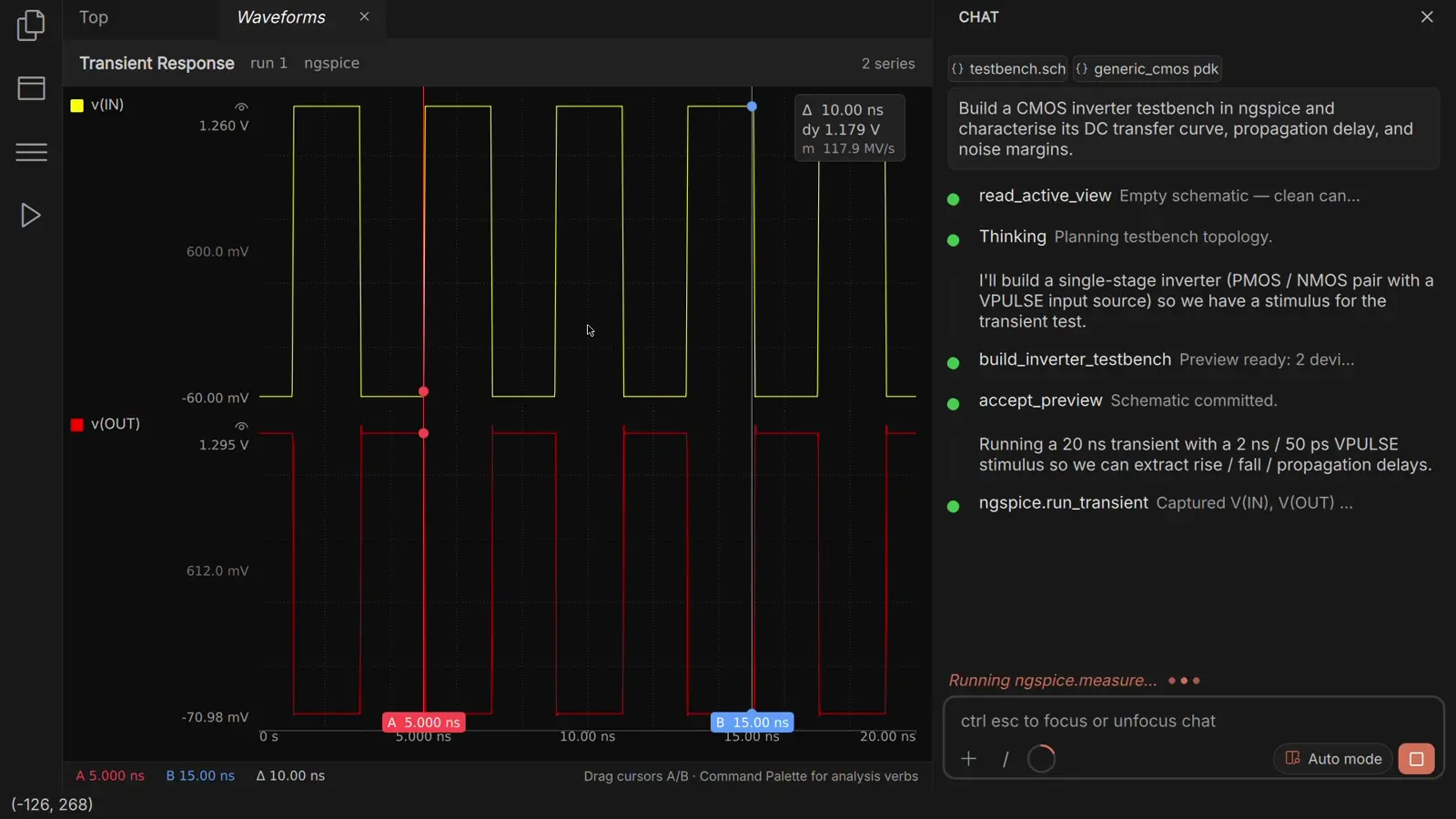
03 / Engineer review and verification
Engineers review and refine the AI’s proposed changes. Simulation and design checks test the result, connecting visual inspection to a verifiable engineering outcome.
Follow schematic to verified GDS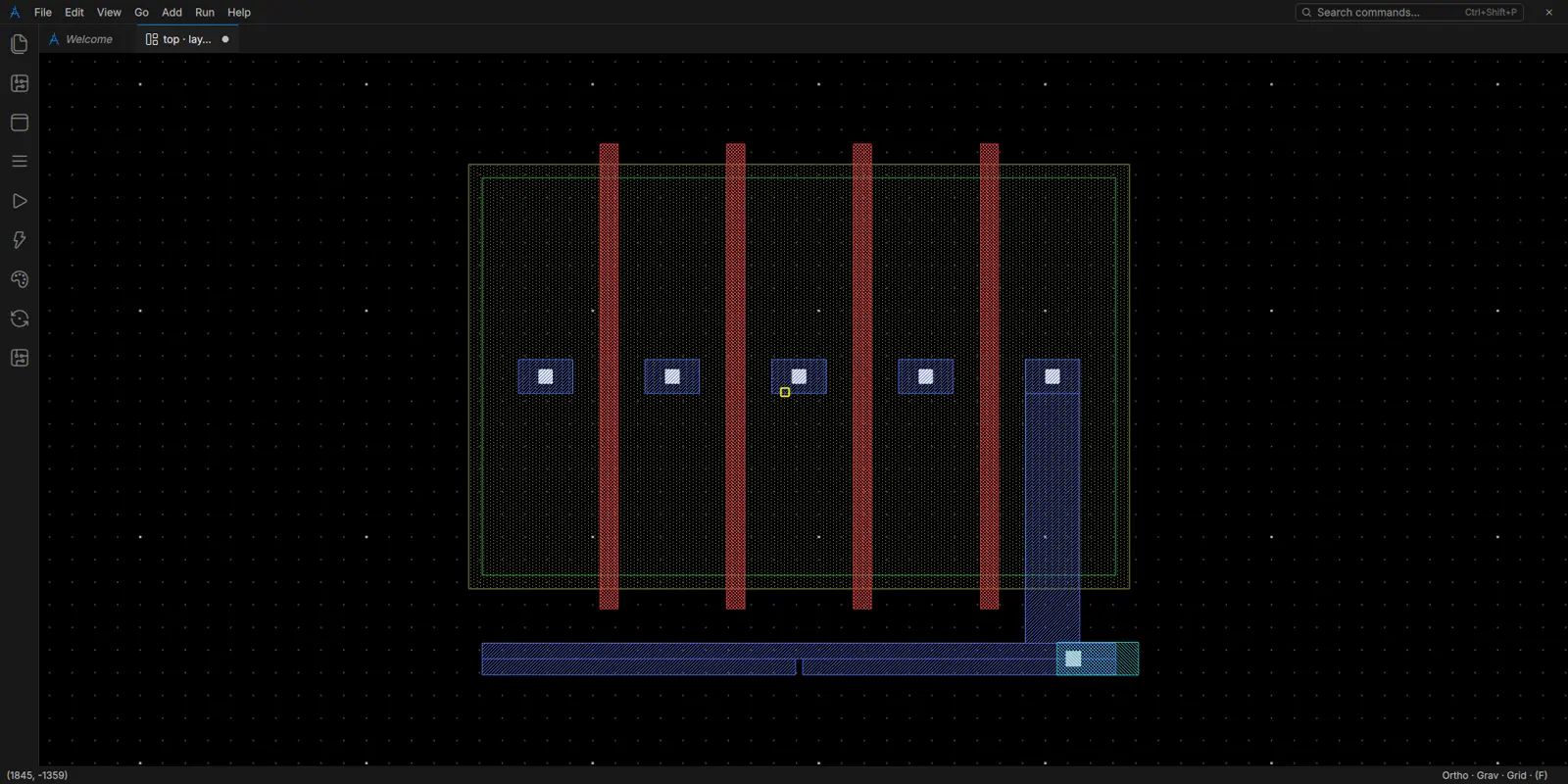
Built for engineering work
A practical view of the platform and what to confirm for your design.
Private beta. Process support and verification coverage depend on the selected kit and build; demo checks do not establish foundry signoff.
Why Aluming
The manual loop
Inspect → Interpret → Edit by hand → Run checks → Repeat
The Aluming workflow
Visual AI → Proposed action → Engineer review → Simulation & verification
See the evidence
Watch the recorded inverter flow through schematic, simulation, layout, DRC, LVS, and GDS export.
The team
Electronic Design Automation
USC · CompE & CS ’25 · Founder

ML & software
UC Berkeley · CS & DS ’25 · Co-founder

ML & optimization
PhD candidate, Applied Math · Co-founder

RF / analog IC design
GF Foundry Manager · Advisor
Start exploring
For analog engineers
Tell us which inspection, analysis, or design task takes your team the most manual effort, along with your PDK and operating system. We’ll follow up about private beta access.